

Comparison
The Best Morse Code Trainers in 2026
The right tool depends on what you are actually trying to learn. Someone preparing to get on the air and someone who is simply curious should not end up in the same place.
Last updated:
Table of Contents

Said up front: MorseKit is one of the tools on this list and we make it. That is why our own weakness is written in the same place as everyone else's, and why two of the four situations below send you to a different tool.
Most of the tools you can use to learn Morse Code are not alternatives to each other. They were built for different people and they rarely say so. What a radio operator needs from callsign practice and what someone spending ten minutes an evening on a curiosity needs are not the same thing.
How we picked
We looked at three things: whether the tool actually works right now, which learning method it uses, and who it was built for.
We went through every tool on this list on 27 August 2026. The screenshots below were taken that day.
That filter dropped one tool. Google's Morse Typing Trainer at morse.withgoogle.com is still online and the page returns no error, but the app never starts: a single character is all that renders. We got the same result on two separate attempts, so we left it out. The Morse input on Google's Gboard keyboard is a different thing and it works.
If you want to get on the air
If the goal is working CW on the radio, the three tools below do the thing we do not: callsign, QSO and contest practice. None of that is in MorseKit and none of it is planned.
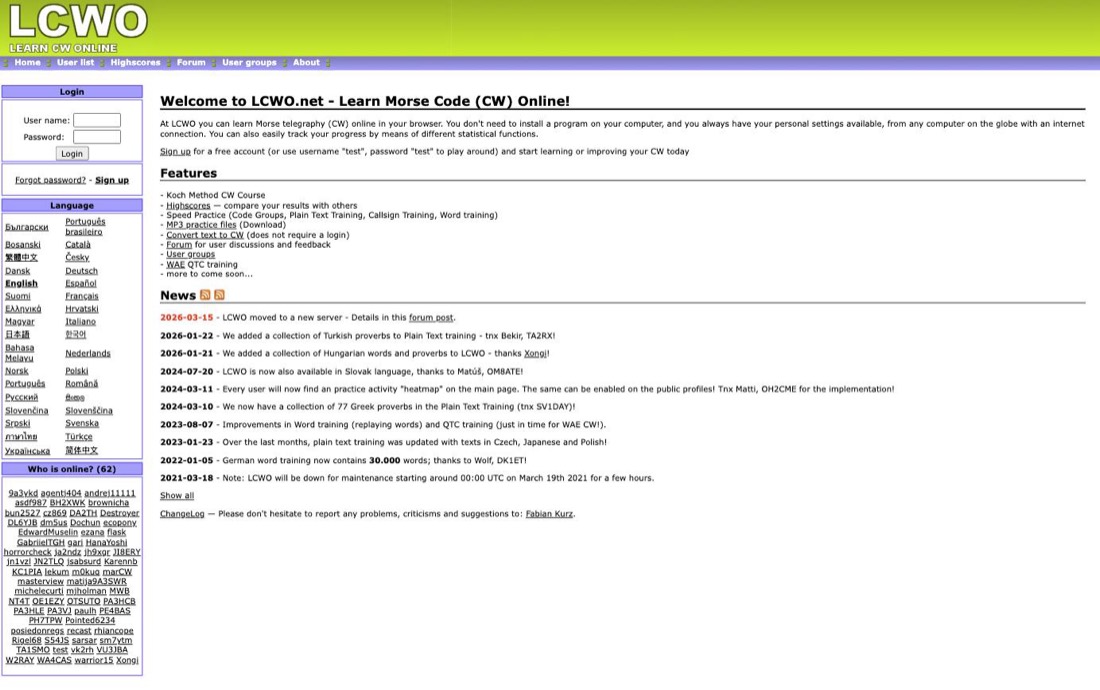
A Koch course that runs in the browser, plus speed practice, MP3 downloads, a forum and a highscore table.
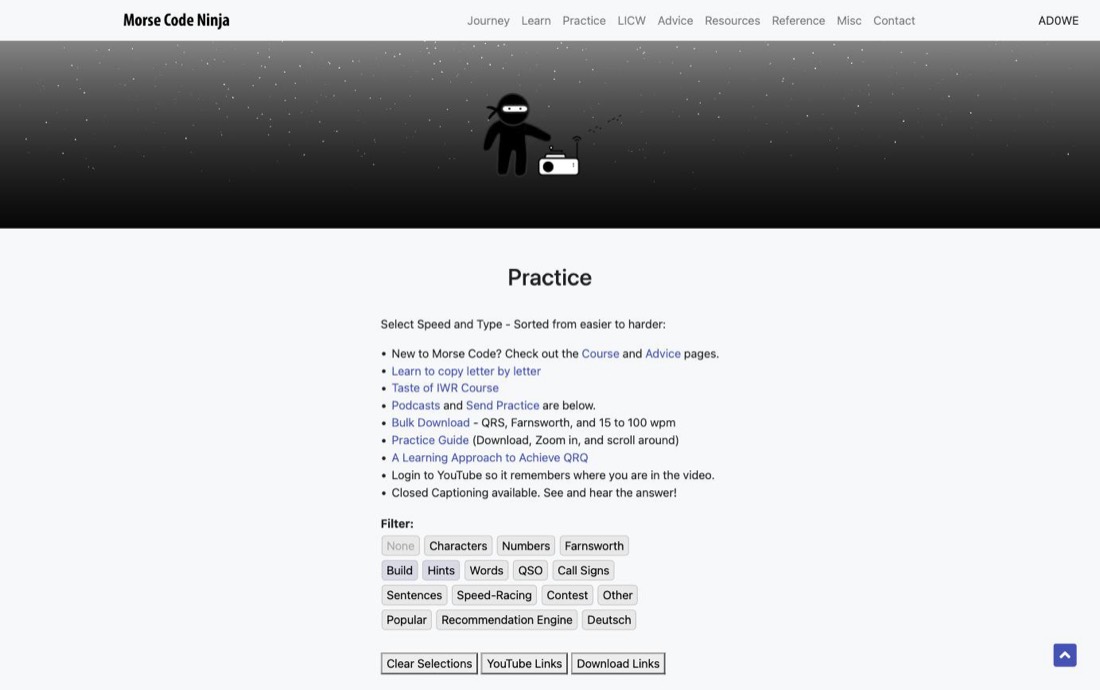
Over 300 practice sets, instant character recognition drills, 61 short stories, podcasts and bulk downloads.
A Windows desktop Koch trainer that has been distributed since 2002.
If you want the skill itself
Without a radio goal, the tools above are more than you need. Someone who does not want callsign practice has no use for a tool built around callsign practice.
What decides it here is not content, it is continuity. Most people who stop learning Morse do not stop because it was hard. They stop in week three, when the daily habit has not formed. We wrote about why that happens separately: 6 Mistakes That Make People Quit Morse Code. Continuity is built on the device in your pocket, not at a desk.
Gamified lessons. A recent version added sending alongside receiving: audio, a blinking light, the flashlight and vibration.
A long-running iOS tool. Translation, a Koch trainer, sending practice, the CWops method, plus abbreviation and QSO dictionaries in one place.
MorseKit iOS and Android, made by us A flow closer to Duolingo's language lessons: five-minute daily sessions built on the Koch method, spaced repetition, streak tracking, and sending practice inside every lesson.
Morse Mania is the one most people already have when they start looking around. If that is you, the three reasons people move and what to open instead are set out separately: Morse Mania Alternatives in 2026.
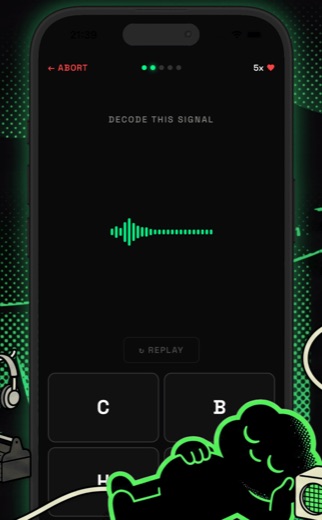 Listening drill
 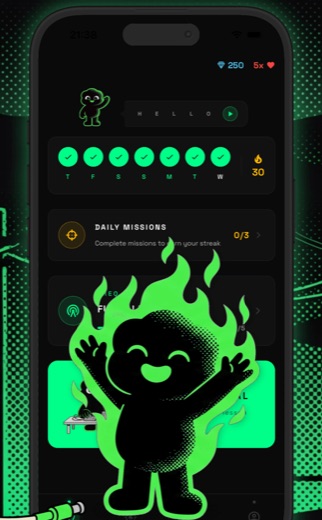 Daily streak
 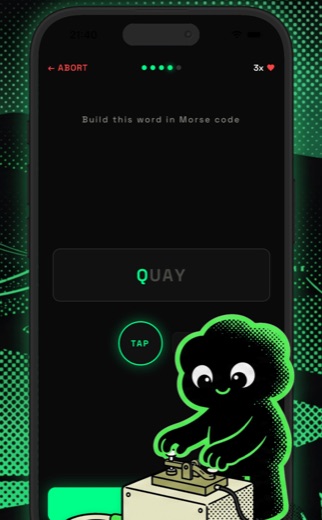 Sending
 What is inside MorseKit
The lesson flow is close to Duolingo's language courses, but there is more in the app than the lessons:
The interface runs in 27 languages. Ham practice is not here.
If you are not learning in English
This is the split that most reviews skip, because most reviews are written for people who already read English comfortably. Morse Code Ninja and G4FON are English only, and so are both mobile apps above. LCWO has been translated by volunteers into more than thirty languages, and MorseKit runs in 27.
It sounds like a small detail and it is not. If part of your attention goes on working out the menu while the rest is meant to be learning a new code, you are learning two things at once. For a parent teaching a child, or a scout leader working with a group in their own language, that alone can be the thing that ends it.
All six, compared
| Tool | Platform | Method | Ham practice | Interface |
|---|---|---|---|---|
| LCWO | Browser | Koch | Yes | Many languages |
| Morse Code Ninja | Browser, YouTube, podcast | Instant recognition, words | Yes | English |
| G4FON | Windows | Koch | Yes | English |
| Morse Mania | iOS, Android | Gamified lessons | Callsigns only | English |
| Morse-It | iOS | Koch, CWops | Yes | English |
| MorseKit | iOS, Android | Koch, Farnsworth | No | 27 languages |
The ham practice column means callsign, QSO and contest work. MorseKit has none of the three.
Which one fits you
If it is the methods themselves you are curious about, what Koch and Farnsworth are and why they work is a separate article: How to Learn Morse Code. This piece is for deciding which tool to open, not for teaching the method.
Start learning Morse code today
Available on iOS and Android. Free to download.
- Learn in just 5 minutes a day
- 5x faster learning with spaced repetition
- Full audio toolkit with adjustable speed
Free · iOS & Android · 27 Languages
See how it worksAuthor

MorseKit is built and maintained by Firstpoint. Every character table on the site follows ITU-R M.1677-1: the dot and dash ratios, the letter and word gaps, and the ITU punctuation set. One dataset drives the translator, the audio engine and the printable cheat sheets, so a correction reaches all three at once. Alongside International Morse the team maintains nine regional variants, including Wabun, Cyrillic, Greek and Arabic, plus 42 Q codes and 18 prosigns, and the same people build the MorseKit apps for iOS and Android. Where a fact rests on a published standard the guides cite it, and where something has not been verified the page says so.